Finding the “best cemetery software” really means finding the best fit for your team, your duties and your day-to-day workflows. Some platforms focus on safety inspections and compliance. Others focus on mapping, records or public booking. Many teams need a mix.
This guide explains the main approaches you will see, the trade-offs to consider, and where SAMM Software fits if your priorities include risk-based memorial safety and end-to-end memorial job management.
Quick take: what “best” looks like for most teams
- Clear scope: Does the software match what you actually need (inspections, asset checks, records, mapping, bookings, memorial jobs)?
- Evidence made easy: Can you capture photos, outcome notes and reports you can share with stakeholders?
- Works in the field: Tablet-friendly, simple UI, and offline mode where there is no signal.
- Compliance alignment: Supports a risk-based approach consistent with ICCM and Ministry of Justice guidance (for UK teams).
- Grows with you: Starts simple and expands with modules, users and integrations as needed.
- Support that sticks: Onboarding, training, help desk and an account manager who knows your context.
The main types of cemetery software
1) Inspection-led safety systems
Purpose-built for memorial and estate safety. Expect risk matrices, custom criteria, tablet capture (including offline), outcome tracking, owner communication and dashboards.
Best for: Councils, cemetery managers and parishes prioritising visitor safety, evidencing inspections and staying aligned with ICCM/MoJ guidance.
Where SAMM fits:
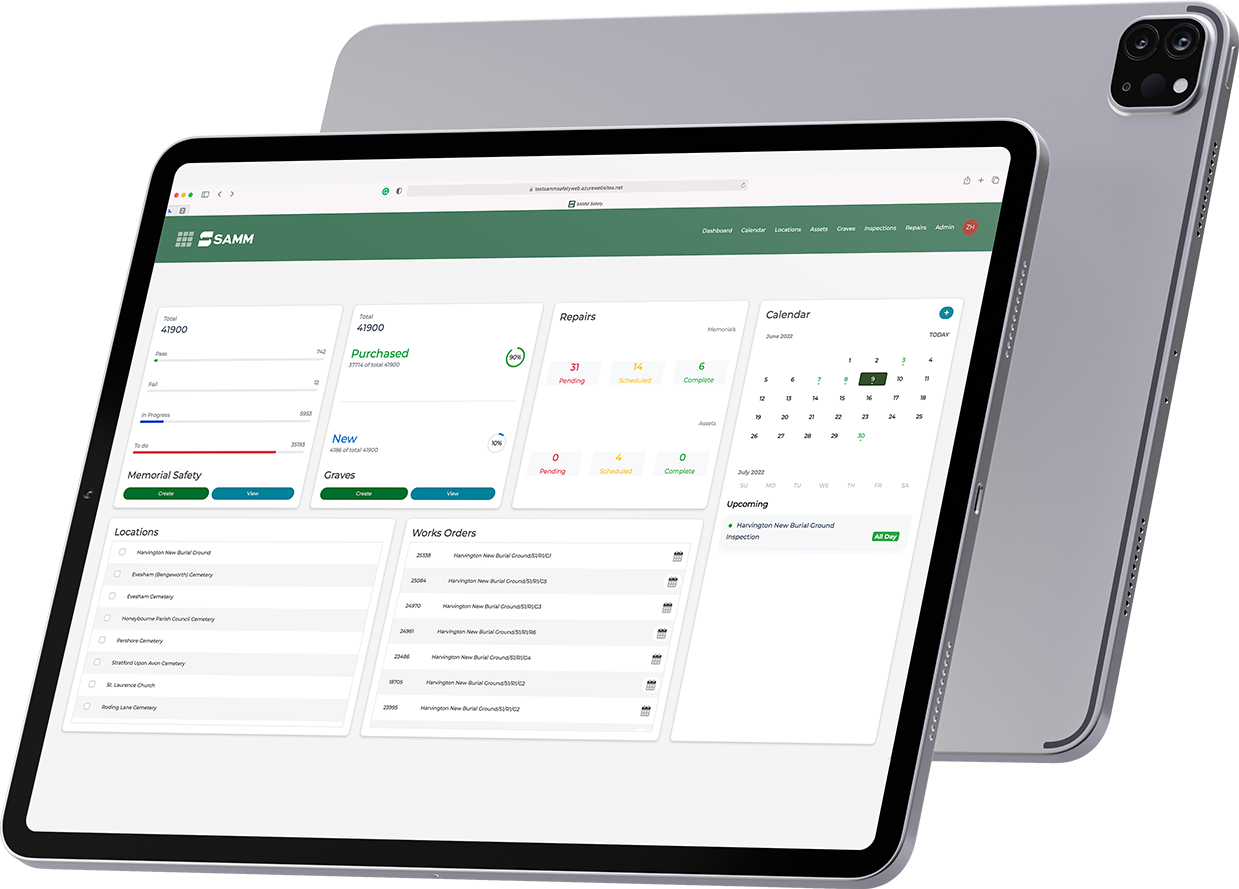
SAMM Safety is an inspection-led system with risk-based planning, offline Android/iOS capture, letters/emails to owners, searchable grave records, site-wide asset templates (paths, trees, buildings) and performance analytics.
2) Full management suites
Broader platforms for records, plot assignment, mapping and sometimes bookings. Great for complex recordkeeping and public-facing features, though the safety tools can be lighter than in specialist systems.
Best for: Authorities seeking an all-in-one back office plus public self-service.
How to evaluate: Check how inspections are handled (criteria, photos, audits) and whether field use is as smooth as a dedicated safety solution. Consider whether you will still pair a specialist inspection tool for depth.
3) Mapping-first tools (with add-ons)
Start from GIS or plot visualisation, then add records, tasks and limited inspections. Mapping is their strength; mobile inspection UX varies.
Best for: Teams whose primary pain is locating plots and visualising sites, and who can accept slimmer inspection features or integrate a safety tool.
4) Memorial job management (retail/masonry)
Software for memorial masons and operations teams handling quotes, supplier pricing, permits, artwork approvals, scheduling and fitting.
Best for: Mason firms and groups who need order-to-install visibility across branches and teams.
Where SAMM fits:
SAMM Retail manages the full memorial workflow: instant supplier pricing for quotes, permits and location tracking, artwork approvals, team scheduling, tasking and a shared calendar, with payment tracking and document/photo attachments.
Choosing criteria that matter
- Safety and compliance: Risk-based criteria, outcomes and audit trails aligned with ICCM/MoJ guidance.
- Field usability: Simple tablet UI and offline mode so work continues without signal.
- Communication: Built-in letters/emails for pre-inspection notices and outcomes.
- Reporting: Dashboards, trends and exportable reports for management and regulators.
- Records and documents: Attach photos, PDFs and notes to plots or jobs; find them quickly.
- Scalability: Add users, modules and locations without performance pain.
- Support: Onboarding (including data import), team training, responsive help desk and account management.
- Integrations: The few that matter (e.g., supplier pricing for memorials; mapping partners for sites).
Where SAMM is strongest
For safety and inspections (SAMM Safety)
- Risk-based inspections for memorials and wider estate assets
- Offline tablet mode on Android or iOS
- Searchable grave records and photo/document history
- Owner communication with letters/emails at scale
- Dashboards and analytics for performance and planning
- Configurable templates for trees, paths, buildings, taps and more
For memorial jobs (SAMM Retail)
- Orders and instant supplier pricing for fast, accurate quotes
- Permit and location tracking to prevent delays and rework
- Artwork approval capture for inscriptions and designs
- Scheduling and staffing for fitters across branches
- Tasks and shared calendar so responsibilities are clear
- Payment tracking, documents and photos on each job
If your definition of “best cemetery software” centres on making safety inspections auditable and straightforward, and running memorial jobs end-to-end, SAMM is purpose-built for that scope.
How SAMM works in practice
- Plan: Set inspection criteria, schedule routes and assign teams.
- Capture: Record outcomes with notes and photos on tablets, even without signal.
- Sync: Data uploads to the secure cloud when you are back online.
- Communicate: Generate letters/emails to grave and lair owners before and after inspections.
- Report: Track results, monitor trends and evidence completion with dashboards.
- For Retail: Quote with instant pricing, track permits/locations, schedule fitters, approve artwork and close jobs confidently.
Outcomes you can expect
- Less admin, more ground covered: Streamlined planning and capture reduces friction for field teams.
- Clear evidence: Photos, documents and timelines you can share with management and auditors.
- Fewer delays: Permits, locations and artwork approvals are tracked in one place.
- Consistency across teams: Templates and checklists keep work repeatable and compliant.
- Scales with you: From small teams to multi-branch groups.
What SAMM does not try to be
SAMM does not position itself as a public burial booking portal or a full records-plus-mapping suite. Many organisations pair SAMM’s strengths in safety and memorial job management with existing records or mapping tools. This keeps each part of the stack good at what it does.
Support that helps teams adopt quickly
- Onboarding and data import so you start with clean structure
- Training for office and field users
- Help desk for day-to-day questions
- Dedicated account manager who understands your sites and goals
Ready to compare options side-by-side?
If you want to see how inspection-led and memorial-workflow tools stack up for your team, a short demo is the quickest way to evaluate fit.
Book a demo