When you run a small cemetery, every minute matters. You’re balancing statutory duties, public safety, bereavement care and limited admin time, often with mixed-experience teams and patchy mobile signal on site. The “best cemetery software for a small cemetery” isn’t about having the longest feature list; it’s about getting the essentials right, simply and reliably.
Below is a plain-English guide to help parish councils, burial authorities and memorial masons choose with confidence, plus how SAMM supports small teams with the right tools from day one. (SAMM is built by bereavement-industry professionals.)
What “best” really means for small cemeteries
For small teams, “best” often means:
- Compliance by design: Workflows that follow ICCM/MoJ guidance for risk-based inspections and headstone safety, with clear outcomes and evidence.
- Simplicity in the field: Inspections that are fast to perform on a tablet, with photos, notes and outcomes captured consistently—even offline.
- All records in one place: Searchable grave records linked to inspections, documents and photos for quick answers at the desk or in the cemetery.
- Mapping and location clarity: Being able to find the right plot and link jobs to locations with minimal back-and-forth.
- Smooth memorial workflows: From quote to permit to install, a single picture of job status so nothing is missed.
- Evidence and reporting: Instant visibility of outcomes, plus simple reports and an audit trail to show decisions were made responsibly.
- Cloud + offline: Access anywhere with secure cloud storage, and offline capture for areas with poor signal
Feature checklist for small burial authorities
Use this as a quick screen when evaluating options:
- Risk-based headstone safety inspections aligned to sector guidance
- Offline tablet mode (Android/iOS) with automatic sync
- Searchable grave records tied to inspections, photos and documents
- Letters/emails to grave/lair owners before and after inspections
- Shared diary for routes, follow-ups and team scheduling
- Mapping/location linking for memorial jobs
- Permit tracking with submission/return dates
- Dashboards & reports for status and trends
- Roles & permissions for small or multi-branch setups
- Onboarding & training included so teams get value quickly
Why dedicated software beats spreadsheets
Spreadsheets are flexible, but they struggle with consistency, auditability and field use. Dedicated cemetery software structures the work: the right questions at the right time, standardised outcomes, photos attached to records, and a history that’s easy to show. That reduces risk, avoids duplicate data, and shortens time-to-answer when residents or councillors ask for updates.
How SAMM supports small cemeteries
SAMM is a practical suite purpose-built for cemetery safety and memorial management, created by bereavement-industry professionals. Teams can start where the need is largest and expand later, without re-learning a new system.
Start with safer sites: SAMM Safety
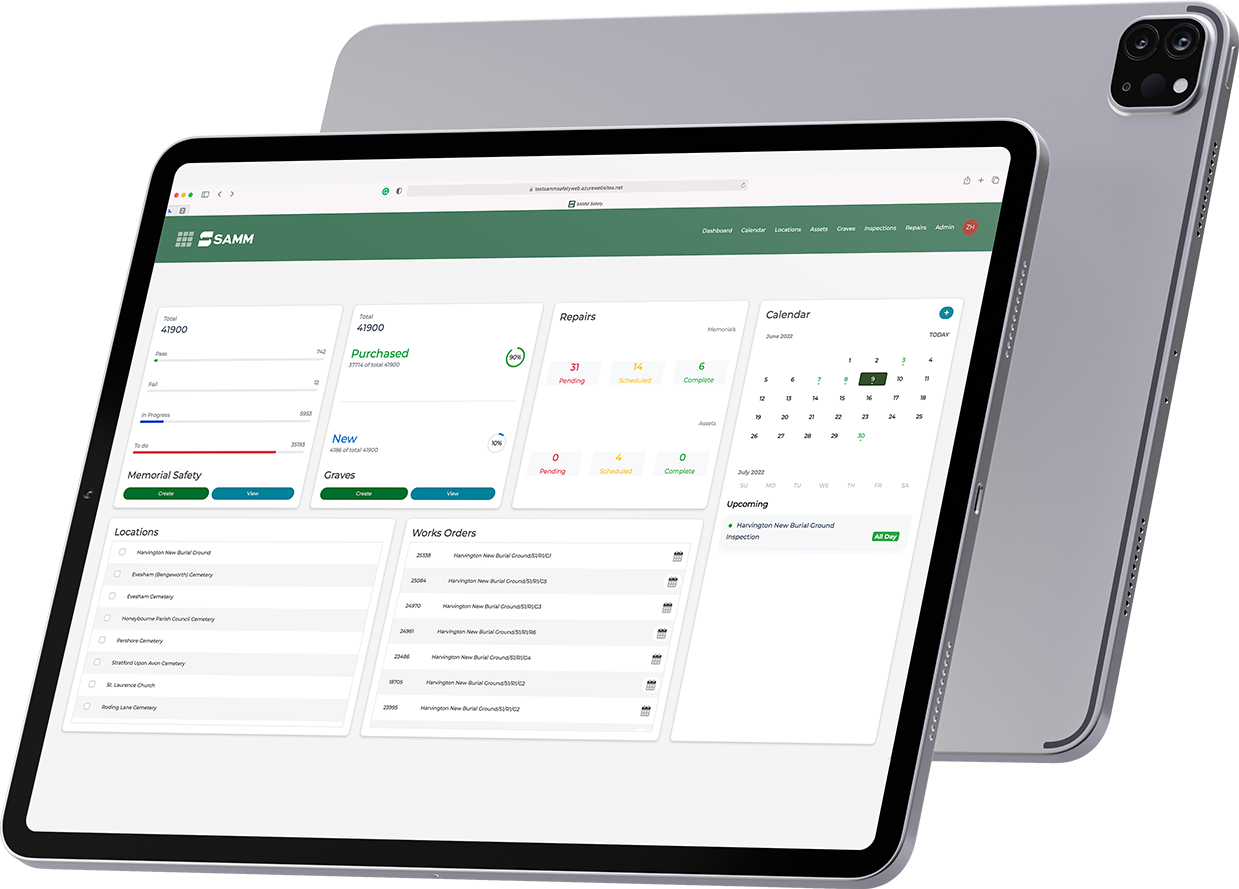
A risk-based inspection system for cemeteries and wider estates. Plan routes, set criteria, capture outcomes and photos on a tablet (even without signal), then sync to the cloud for instant visibility. Generate letters and emails, track remedial work to a safe conclusion, and evidence compliance with reports and audit history.
→ Learn more: SAMM Safety.
Why it suits small teams
- ICCM/MoJ-aligned approach for headstone safety testing
- Android/iOS offline mode for inspections
- Searchable grave records with photos and documents
- Built-in mailing to contact grave/lair owners at scale
- Shared diary to plan routes and track follow-ups
- Clear reporting to monitor progress and demonstrate duty of care
Add memorial job management when ready: SAMM Retail
For memorial masons and operations staff managing orders from quote to install. Pull instant supplier pricing for quick, accurate quotes, track permits and locations, schedule teams in a shared calendar, and keep an eye on approvals, tasks and payments—all in one workflow.
→ Explore: SAMM Retail
Why it suits small teams
- Faster quotes with instant supplier pricing
- Clear status from enquiry to install
- Permit deadlines and location linking to reduce delays
- Shared calendar to allocate fitters and avoid clashes
- Payment tracking and a tidy job record with drawings and photos
Getting started in three simple steps
- Map your needs
Decide whether inspections, memorial jobs, or both are the first priority. Small teams often begin with headstone safety, then add job management as volumes grow. - Import core data
Bring existing grave records and documents into a single, searchable system so your team can work from one source of truth. (Onboarding and training are included with SAMM, so you’re not on your own.) - Run a pilot route or job
Start with a short inspection route or a small batch of memorial orders. Confirm the workflow, outputs and reporting you need; then scale with confidence.
Pricing considerations for small cemeteries
The most helpful pricing models scale with size and usage, so small sites aren’t paying for features they don’t need. Look for packages that include onboarding, training and support; that’s what accelerates value and reduces risk during the first months. SAMM offers tailored pricing and includes onboarding, training, support, licensing, software and data storage.
What to ask vendors before you choose
- How do you evidence compliance with ICCM/MoJ guidance?
- Can we work offline on tablets and sync later?
- How are grave records linked to inspections, photos and letters?
- What does onboarding include, and who trains our team?
- How do you handle permits, locations and scheduling for memorial jobs?
- What reports and dashboards are available out of the box?
Ready to see it in action?
If you’re evaluating the best cemetery software for a small cemetery, a short demo can save weeks of back-and-forth. See the workflows, reports and letters your team would actually use—then decide with confidence.